New: Studio Dashboard Redesign, Dynamic Wait Macros & Multi-Select in Media Hub
4.6.35
We redesigned the Studio dashboard and overview to give you a clearer read on what's happening in the room. While the previous layout treated every panel with equal weight, picking out the active production and the state of connected gear often meant scanning across several cards. Now the dashboard leads with what's running, and the overview groups related information so the things you check most are the things you see first.
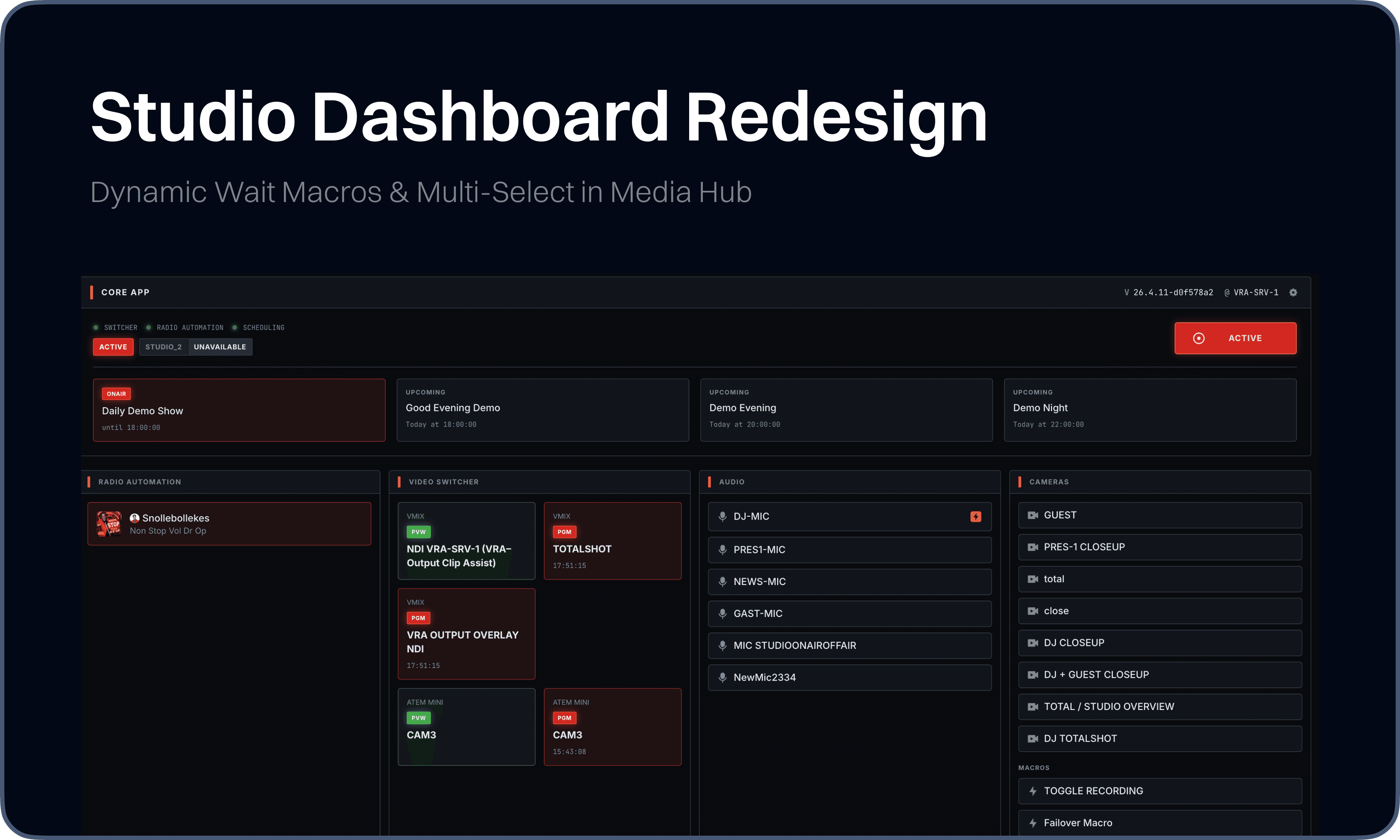
Alongside the redesign, the Media Hub now supports multi-select for acting on several items in one go, and the Macro editor gains a Dynamic Wait step for runtime-driven delays - turning two repetitive workflows into single, deliberate actions.
New
Studio: Redesigned Studio dashboard and overview with a refreshed layout and clearer information hierarchy
Media Hub: Added multi-select for selecting and acting on multiple media items at once
Macros: Added Dynamic Wait step to the Macro editor for random delays between Macro Items, falling in a configured range
Settings: Added Settings Overview page providing a visual entry point to every configuration area
Settings: Added dedicated Clips section, separating clip configuration from Media Server settings
Visual Designer: Added search to the Layer Catalog for finding the right layer type without scrolling
Visual Designer: Added context menu on the canvas for faster layer actions
Media Server: Added Auto Create Pattern support for ingest sources, enabling automatic media creation based on configured naming patterns
Improvements
Automations: Refined the Automation Link, Studio Automations- and Camera- settings pages with a cleaner connections UI
Fixes
Media Hub: Upload file drop state now clears instantly on drop, instead of freezing during upload
Visual Designer: Fixed Padding and Fixed Radius now sync live across all sides on the canvas
Media Server: Resolved error in HyperDeck State Overview when
active_mediawas undefinedMedia Server: HyperDeck connections now use the
timelinesource for accurate timecode readingsClips: Stabilized playhead behavior
Switcher: Fixed switcher label rendering
Settings: Unified SidebarFooter padding for visual consistency
Settings: Fixed dialog width handling
Studio: Resolved several mobile rendering issues
Dashboards: Resolved styling issue in core display