Automatic PTZ Framing in Visual Radio: Meet Camera Assist
Introducing VRA Camera Assist: Cameras That Frame Themselves
Jochem Vogel
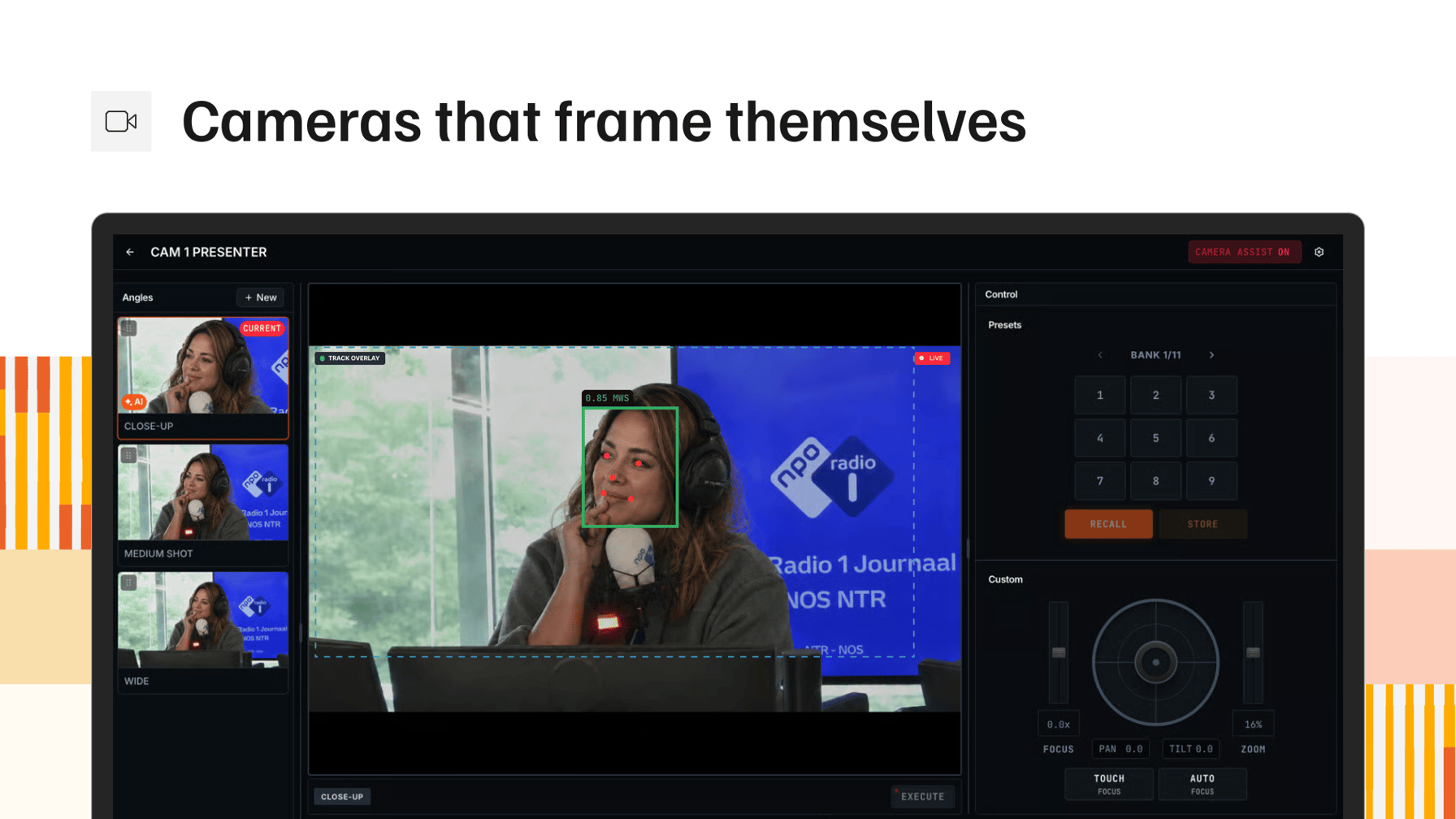
Presets Don't Update Themselves
Most visual radio studios run their cameras the same way: store a PTZ preset per shot, recall it from an audio trigger or a panel, and let the switcher make the cut. That works perfectly on day one. It stops working during hour two.
Presenters lean back. Today's guest sits taller than yesterday's. A chair moves ten centimeters. The preset that was framed perfectly in rehearsal now has too much headroom, or half a co-host hanging off the edge of the frame. In a TV gallery, a camera operator would fix that with a joystick. In a radio studio, there is no camera operator. That is the whole point of visual radio.
Modern PTZ cameras offer a built-in answer: head or subject tracking. The camera locks onto a person and follows them around the room. For a talk format behind a desk, that trades one problem for another. The picture never sits still. Every gesture, every lean towards the mic, and the shot your viewers are watching moves with it.
Tracking follows a person, but broadcast framing holds a composition. Those are not the same job.
Camera Assist: Framing to a Broadcast Standard
Camera Assist is an app you install on a machine in the studio, and it takes ownership of your PTZ cameras. For every shot, you name the framing you want, close up through wide shot, and say how many people belong in it. Camera Assist works pan, tilt and zoom until the picture matches that shot, and then leaves it alone.
Broadcast Standard Shots, Held Without Manual Action
Instead of following a face around the room, Camera Assist frames to a named TV shot size:
- Close up
- Medium close-up
- Medium shot
- Medium wide shot
- Wide shot
You set the shot size per camera and override it per angle, and each angle carries a target: one face, two or more, or a custom count. A 2-shot stays a 2-shot, framed the way an operator would have set it, whoever happens to be sitting in it that day.
Corrections Happen Off Air
Camera Assist does its correcting while a camera is not on program. Framing is adjusted in the background, so the shot is already right the moment that camera is taken, and the picture your viewers see never crawls.
Two safeguards come with that:
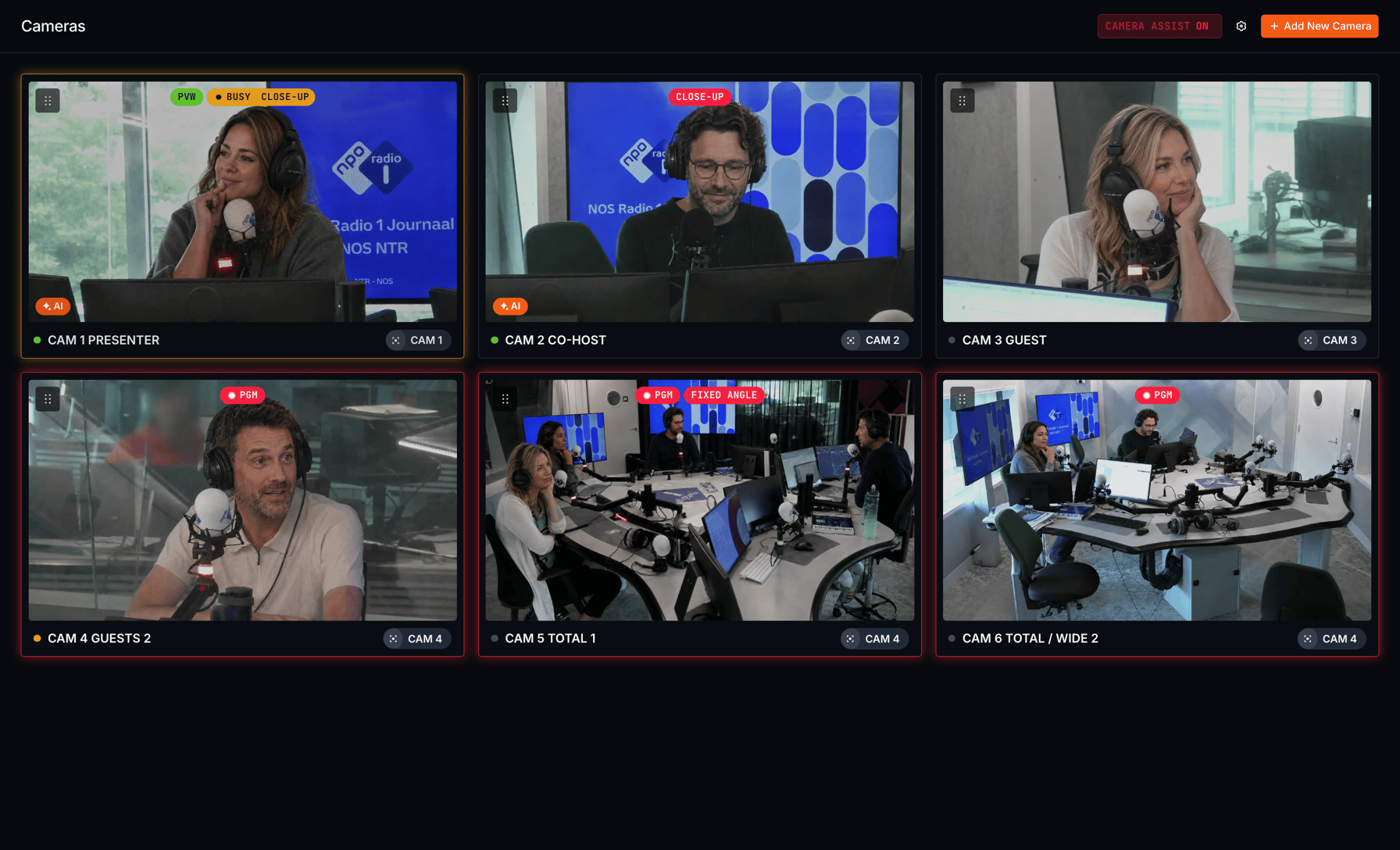
- A camera with nobody in frame is held back from program, so an empty chair never reaches air.
- Manual control is always available, and it locks itself the moment that camera hits program, so nobody nudges a shot that is on screen.
Audio Decides Who. Camera Assist Decides How.
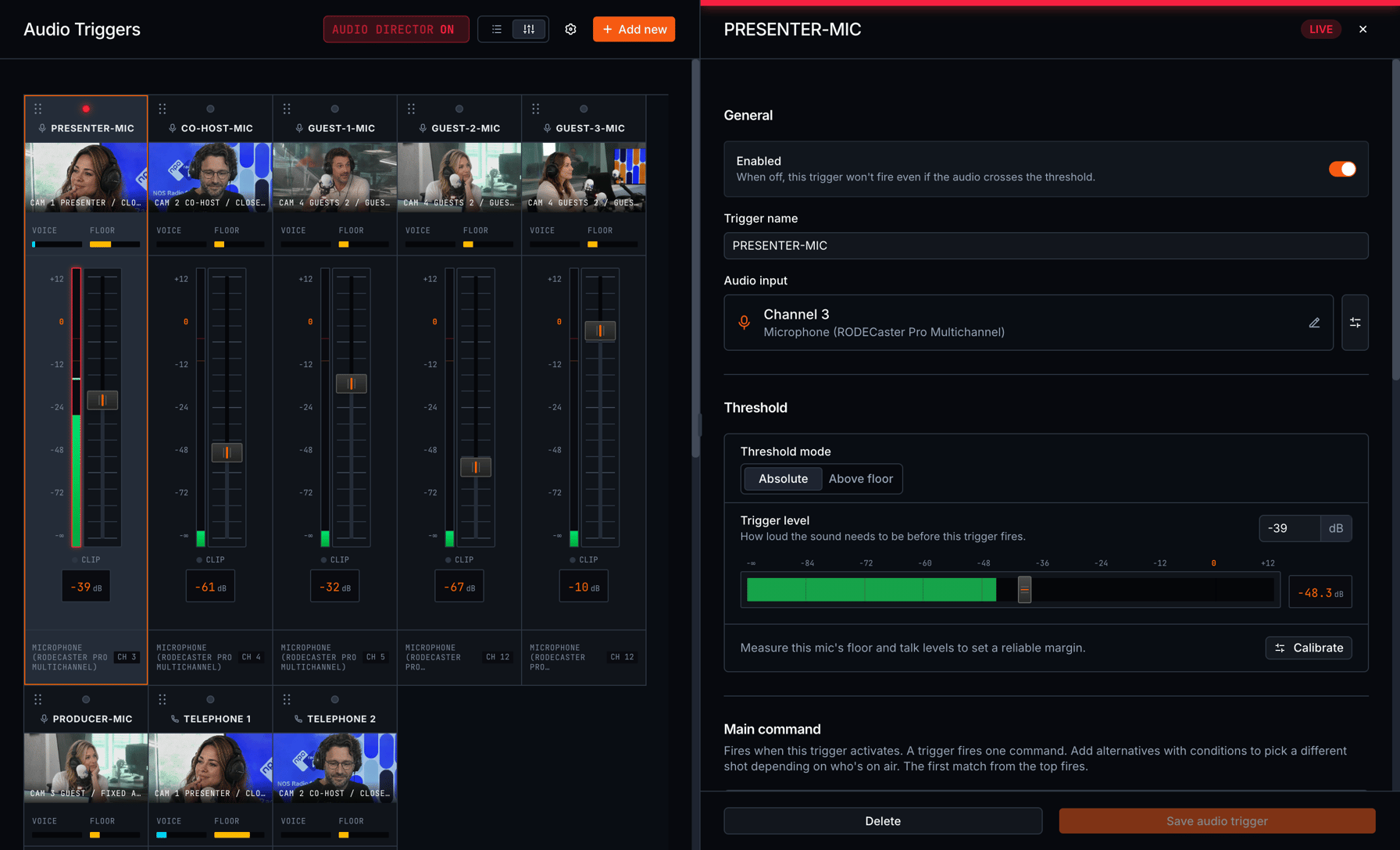
Camera Assist does not decide when to cut. In Visual Radio Assist, your audio does. Audio triggers watch the mixer, decide which microphone has the floor, and fire the cut on your video switcher.
Those triggers point at camera angles, and camera angles are what Camera Assist executes: a named position on a camera, with its own preset slot, thumbnail and framing settings. The audio side picks the shot. Camera Assist guarantees that the shot is worth taking.
Set Up from Measurements, Not Guesses
Automatic framing only works when the system knows what the camera can physically do. Camera Assist measures it: one button drives the camera through its full travel and writes back the pan, tilt and zoom data framing needs. Framing stays off until a camera has been through calibration.
Setup is quick: pick your camera from the built-in PTZ database, 216 models across 8 brands including Panasonic, Sony, Canon, PTZOptics, Marshall and BirdDog, and the connection protocol, lens data and framing values fill themselves in.
There is no extra sensor hardware in this. No LiDAR, no infrared, no ceiling markers. Framing runs on the video your existing camera already produces, so the PTZs you commissioned years ago are all you need.
See What the Framer Sees
Open a camera from anywhere and its live picture comes up in your browser, with the detected faces and the frame it is working to drawn on top. An operator at the station, or an engineer somewhere else entirely, sees exactly what Camera Assist sees.
Already Running Cameras in VRA?
Existing studios upgrade from the Cameras page. Install Camera Assist on the studio machine and your cameras move across on their own. Nothing changes in your current setup until you set a camera up for framing.
Start Using Camera Assist
Camera Assist is available now in Visual Radio Assist, released with VRA Cloud 4.7.0. The changelog has the full release notes, and the docs walk through connecting your PTZ cameras.
Want to see your own studio framed this way? Book a demo.
More from the blog
All posts
Product · 10 April 2025
Re-usable Visual Radio Graphics with Templates
Using a template from the template gallery gives you access to a designed broadcast graphic to power your Visual Radio stream.
1 min read
Product · 18 March 2025
New Media Management in Visual Radio: The Media Hub
Managing media in a multi platform situation for Visual Radio broadcast on web and TV platforms can be a challenge with visual content living in various locations. With the new Media Hub, Visual Radio Assist now offers a single place for media management in the Cloud. Whether you're a radio DJ, producer, or technical manager, you can upload, organize, and access all your media remotely—making it easier than ever to prepare for live broadcasts.
2 min read
Company · 16 July 2025
Create an Automated Image Slideshow with Meta Text
Create dynamic image slideshows in your Visual Radio broadcasts using metadata tags with Visual Radio Assist. Learn how to set up automated visuals with presenter photos, show titles, and more.
2 min read