What Is Visual Radio? A Practical Guide for Stations

Hidde Schultze
Technical Founder
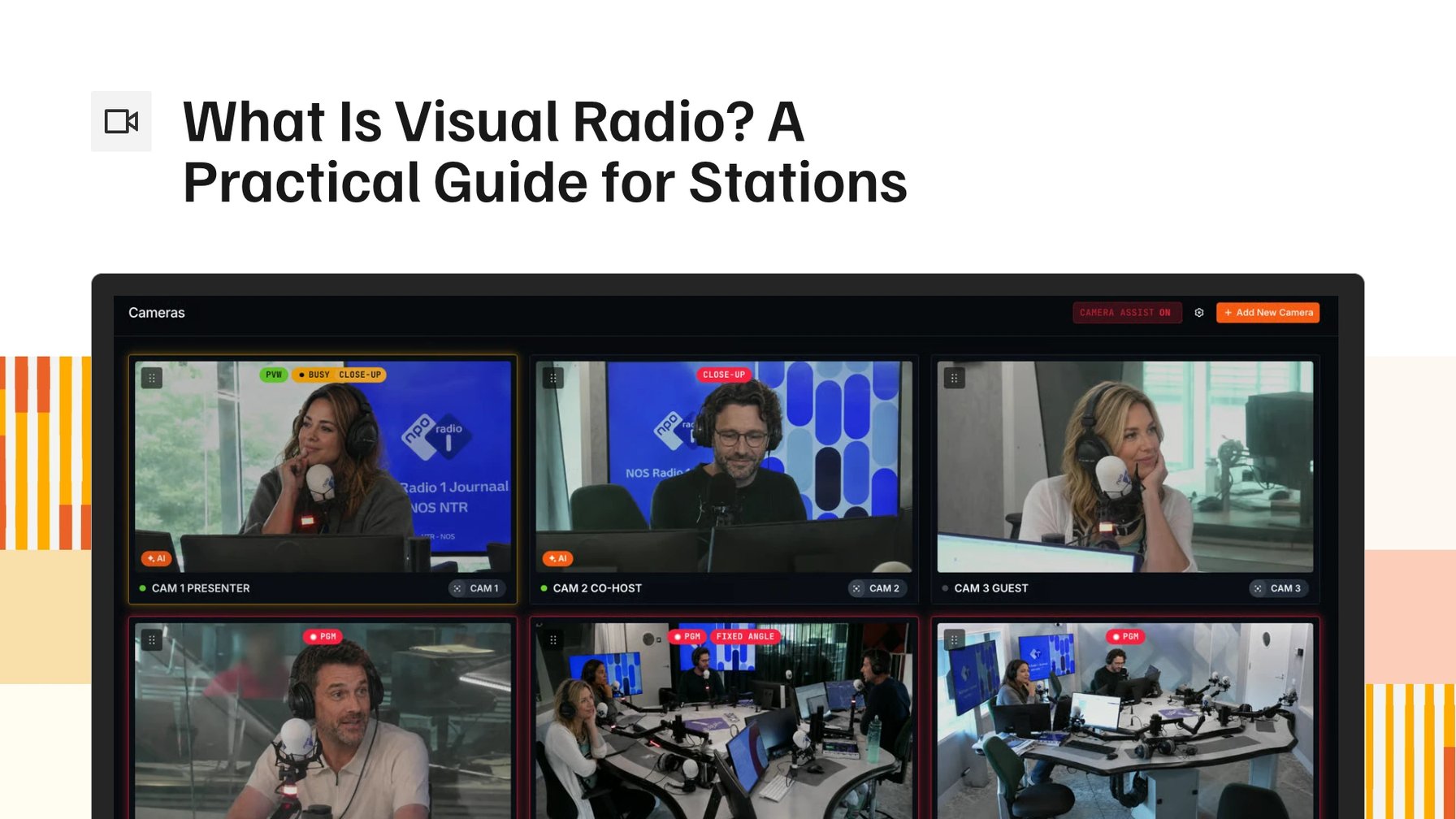
Visual radio is a radio show you can also watch. Cameras in the studio show the presenters, graphics show who is talking and what is playing, and the broadcast goes out as a stream or TV feed next to the audio. Audio levels from your mixer drive the cut, so the shot follows whoever is talking.
Where visual radio came from
In the Netherlands, visual radio started with a simple step: stations put cameras in the studio and let listeners watch the show they already heard. 3FM and Radio 2 were among the first to treat the studio as something to look at, and others followed over the next few years.
Event radio brought the format its biggest audiences. For 3FM Serious Request, presenters broadcast from a glass house in a city square in the days before Christmas, and people followed it on TV and online as well as on the radio. Radio 2's Top 2000 countdown drew viewers the same way.
These productions showed that people will watch radio. They were yearly events with full production teams behind them.
What a visual radio studio is made of
Start from an ordinary radio studio. Every presenter and guest already has a microphone, and those mics stay where they are. Visual radio adds a few things around them.
Cameras come first. Most studios use PTZ cameras: small remote-controlled cameras that pan, tilt and zoom. They sit on or near the desk, so each one can show a presenter in close-up or the whole table in a wide shot. Fixed cameras work too, but they cannot change their shot.
The cameras feed a video switcher, which picks the picture that goes out. Blackmagic ATEM is common as hardware, vMix and OBS as software. And at every moment of the show, someone has to decide which camera is on air.
Graphics come next. A lower third names whoever is talking and the show they are on. During music the screen usually shows the artist and title, taken from the station's radio automation, and some stations run the music video instead.
The finished picture goes out as a stream on the station's website or YouTube, or as a feed to a TV channel. The show is usually recorded as well, so its best moments can be cut into clips afterwards.
None of this changes the radio show itself. The audio, the playlist and the presenters work the way they always did, and the picture is built around them.
Why it got bigger, and harder
Qmusic moved into a new building with studios built more like a TV set. Presenters wear headsets in place of microphones on arms, so nothing blocks the camera's view of their faces. A daily show is now made on the assumption that people will watch it.
Social media gave stations a second reason. They want to reach their audience where it scrolls, with short clips from the morning show every day, all year.
That makes one radio show two jobs. While the show is on air, someone directs: picks the camera for whoever is talking and puts up the right lower third with the right name, also when a guest joins or the line-up changes. Afterwards someone goes through the recording for the moments worth posting, cuts each clip, crops it to a vertical frame for phones, adds the station's bumpers and types the captions.
At most stations that is the producer, by hand. The event productions had full teams for a few weeks a year, while a daily show usually has a presenter, maybe a sidekick, and at most one producer. So visual radio needs people the station does not have, or it does not happen. Some stations decide it does not.
What visual radio does not need
Most of that work is the same every show, and work that repeats is the part a station can hand off.
The event productions had camera operators and a director because they were made like television. A daily show can run on remote-controlled cameras that hold their shots, with nobody standing behind them.
You do not need a second studio or a separate show. The cameras go into the studio you already broadcast from, and viewers watch the show the presenters would have made anyway.
Your radio automation and playout stay as they are. The picture side reads from the system that plays your songs and jingles, so the now-playing graphic changes when the song does.
Software now covers most of the repeat work. The microphones already show who is talking, so the switcher can cut to that person's camera. The schedule already says which programme is on and who presents it, so the lower third fills in the right name. The recording can carry markers where each microphone opened, which means finding a clip starts from a list of moments instead of three hours of video. Staff keep manual control and can take a shot or correct a graphic whenever they want.
The show no longer needs an extra person behind the desk. The producer keeps the work only a person can do, preparing the show and deciding what airs, and software handles the cuts and graphics that repeat every day.
Frequently asked questions
Is visual radio the same as a podcast or a livestream?
A podcast is usually recorded and listened to later. A livestream is usually made for video from the start. Visual radio is a radio show first. It goes out on FM, DAB or the station's audio stream with its music, news and ads as usual, and the picture is an extra way to follow it. If the cameras stopped, the radio show would carry on.
Which cameras do you need?
PTZ cameras are the usual choice. You control them remotely and they return to saved positions, so one camera can give you a close-up and a wide shot. In principle any camera that feeds your video switcher works. A fixed camera keeps one framing, so you need more of them to get the same variety of shots. A common starting point is one camera per presenter's seat and one wide shot of the desk.
Can a small team run it?
Yes, as long as nobody has to direct and type graphics by hand for every hour of the show. When the camera cuts and lower thirds run on their own, the team's daily work is mostly preparation: keeping the show schedule and guest names up to date, and checking the picture now and then.
Where do people watch it?
On the station's website or app, on YouTube, sometimes on a TV channel, and in short clips on social platforms after the show. Many stations send the on-air picture to one or two of these places and use the recording for the clips.
How Visual Radio Assist automates a visual radio show
Visual Radio Assist is the software we make for this. It uses automated camera switching to cut to whoever is talking, fills lower thirds from your schedule and radio automation, and cuts clips from the recording in the browser with Clips. A small team can run a visual show without an extra operator, and staff keep manual control at any moment.
To see it with your own studio setup, book a demo.
More from the blog
All posts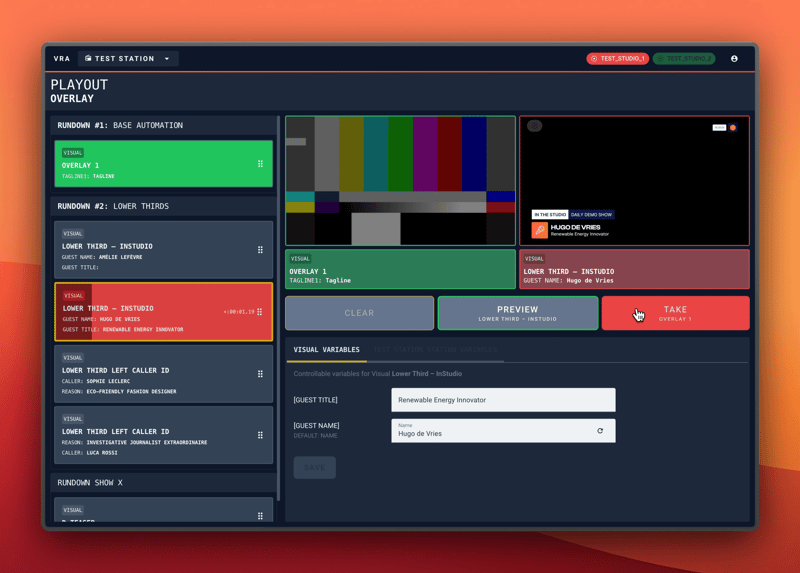
Product · 9 February 2024
Visual Radio Live Graphics Playout
Launching the first ever Visual Radio Playout, build to live control your graphics onair!
4 min read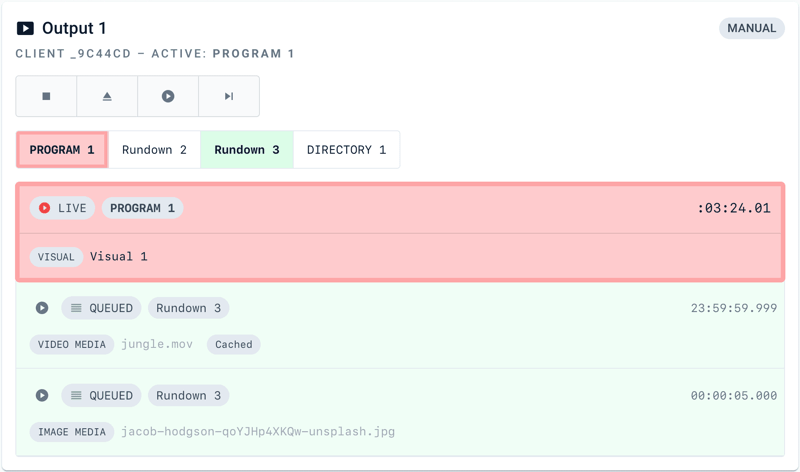
Product · 28 May 2023
Introducing Output Player Manual Mode
Visual Radio Assist's Output Players have always been a great example of how to make Visual Radio expandable in all kinds of custom Visual Radio (TV) Broadcast scenarios - now they support Manual Control too!
2 min read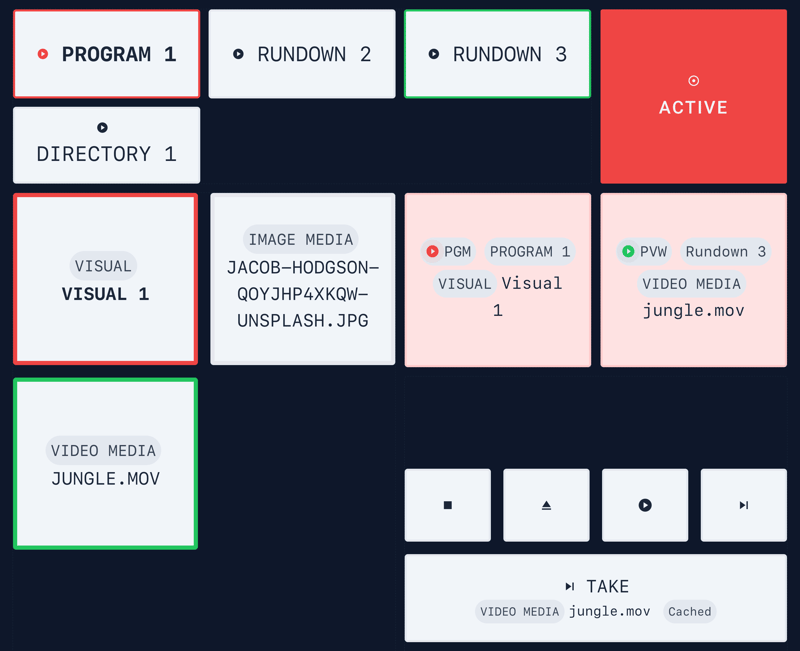
Product · 1 June 2023
Introducing Custom Dashboards
Introducing the new custom Dashboard functionality to Visual Radio Assist.
3 min read