Visual radio sounds smaller than television. In practice it is video production that runs around the clock. A render engine, cameras, graphics and switching never stop, through the night shows and the weekend. For most of those hours, nobody is behind a vision mixer.
If you search for the best visual radio software, you mostly find list sites that rank tools without knowing your station. The best visual radio software for your station is the one that fits the scope you set, works with the gear you already own, has a track record and is still maintained, can be used by the whole team, and comes with support you can reach. Compare on those five points. If you are new to the format, start with what visual radio is and how to start with visual radio.
Decide your scope before you compare
If you compare features before you know what you need, every option looks the same. Answer a few questions about your own station first.
Do you want playout of graphics only, or a studio that runs itself? Do you have people who can direct the vision mix, and if so, all day or only for a few shows? A morning show with a producer next to the presenter is a different job from a self-op night show at 03:00.
What happens after the show? You can cut clips by hand in an editor. Or the software marks the moments from when the microphones were open, and someone only picks the cut.
How should your cameras behave? Cameras in a radio studio are used all day. If you want PTZ cameras that frame themselves, ask whether they reframe on air or before they are cut to.
And what about the production tool you have, like OBS or vMix? Do you keep it and add a layer on top that drives it, or replace it? Then decide where it all runs: in the studio on your own machines, or in the cloud.
Write down what an ordinary day in your studio looks like, show by show, and what you need at each hour. That list is your scope, and what you compare against.
It has to work with the gear you already own
You already have cameras, a switcher, microphones and a playout system that work. The software should drive them as they are.
Check the specifics, by name and model:
- Switcher. Which switchers does it drive?
- Cameras. Which PTZ brands and models are supported, and over which protocols?
- Microphones. How does the software know who is talking? Ask whether it reads your console or audio network directly, channel by channel.
- Playout. Can it read what your radio automation is playing, so a now playing bar or ticker updates on its own?
Ask for this as a list, then check your own models against it.
VRA drives Blackmagic ATEM, vMix and OBS (OBS 28 or newer). It uses a Blackmagic HyperDeck as a recording source for Clips, not to cut between cameras. We keep the full list on the integrations page.
Proven in production, and maintained
Today you can build a lot yourself. With Claude Code or other tools, a capable engineer can put together a switcher script and a graphics page. Getting it to work on day one is the easy part. The harder question is who maintains it when it breaks on a Sunday night, and who updates it when the switcher firmware or the operating system changes.
So look for a track record. Ask any vendor which stations run their software today, and call one of them. You want software that other stations already depend on every day. VRA runs at NPO Radio 1, NPO Radio 2, 3FM, Radio NL and NH.
Usable by everyone, not one person
At a small station, one person often sets up and runs the whole visual side. That works until they are ill, on holiday or gone. If the setup only makes sense in their head, the station loses it with them.
Pick a tool the whole team can use, and ask whether it has roles for who does what. Then a presenter can start a show and an engineer can change the setup, and nobody needs access to everything. In VRA, roles range from DJ and Producer to Station Manager and Broadcast Manager.
Support you can call, and an SLA
You can host everything in house and still need help from outside. Agree on support before you need it: how fast you get help, and what the vendor does to keep you on air when something breaks. For a station that runs video around the clock, that belongs in an SLA. And for the small questions, you want a person to ask, by phone too.
Every customer, on every plan, can reach us by phone and email. How fast you hear back depends on your plan, and an SLA is available on Enterprise.
Kinds of visual radio software, and where VRA fits
Broadly, you have three kinds of options.
Build it yourself. Full control and no license, but you own every fix, every update and every Sunday night.
A production tool alone, like vMix or OBS. Built to produce video, with sources, overlays and recording in one place. On its own, it needs someone to drive it: it does not know which microphone is open or what your playout is playing.
Dedicated visual radio software. Software built around radio: microphones, rundowns, playout data and shows. It sits on top of the switcher or production tool you already run, like an ATEM, vMix or OBS. From there it drives that tool and your cameras, so nobody has to sit behind the vision mixer all day. Anyone can still take over by hand when a show needs it.
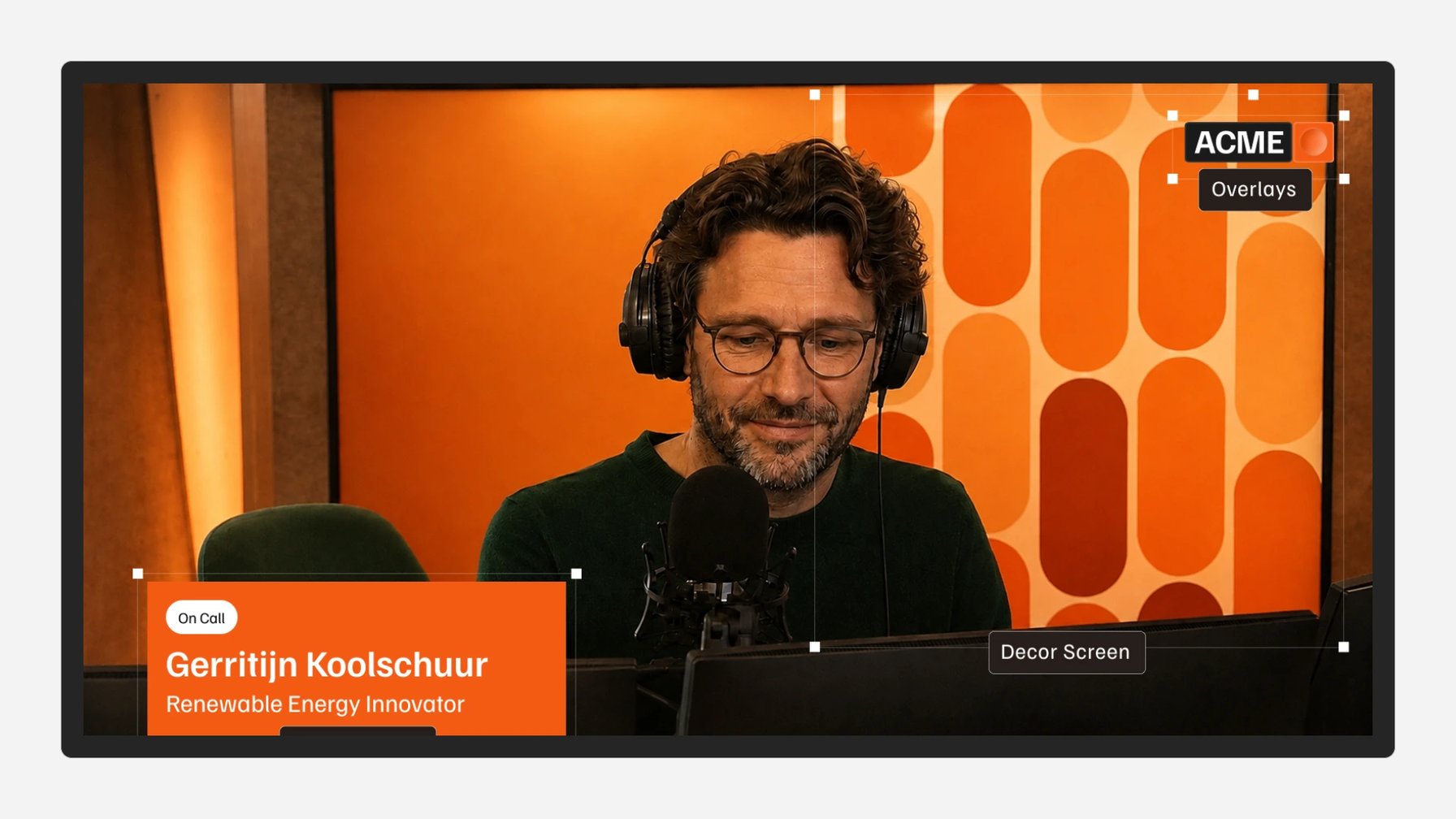
Visual Radio Assist (VRA) is the third kind. It runs in the studio on your own machines, and you configure and control it from the cloud, from anywhere. It switches your cameras from the microphones, frames your PTZ cameras and fills graphics from your schedule and playout. On the five points:
- Scope. From graphics playout to a fully automated studio, product by product.
- Your gear. It drives your ATEM, vMix or OBS rather than replacing it.
- Proven. It runs at national and regional stations.
- The whole team. Roles from DJ to Broadcast Manager, so a presenter can start a show without access to the setup.
- Support. Phone and email on every plan, with an SLA on Enterprise.
See how it works in a studio: automated camera switching and graphics from your playout.
Frequently asked questions
What is the best visual radio software for a radio station?
The one that fits your scope and works with the switcher, cameras and playout you already own. Visual Radio Assist is built for radio: it switches cameras from the microphones, frames PTZ cameras and fills graphics from your playout, and it drives your ATEM, vMix or OBS.
Is vMix or OBS enough for visual radio?
vMix and OBS produce the video well. On their own they need someone to drive them, because they do not know which microphone is open or what your playout is playing. Visual radio software like VRA works on top of them and drives them.
What are the alternatives for visual radio automation?
You can build it yourself, run a production tool like vMix or OBS with an operator, or use dedicated visual radio software. The difference is who maintains it and whether someone has to sit behind the vision mixer.
Does visual radio software run in the studio or in the cloud?
It depends on the product, so ask. VRA runs in the studio, on the station's own machines, and is configured and controlled from the cloud, from anywhere.
Bring your scope list to a demo and check it against your own studio.